ximea


XIMEA cameras can be used with software from National Instruments including NI Vision Acquisition Software, NI Vision Builder for Automated Inspection (AI) and NI Vision Development Module.
Depending on the camera model they can be interfaced using two different Labview interfaces - USB3Vision Standard interface and xiLib a LabVIEW wrapper of the .NET based xiAPI.NET API.
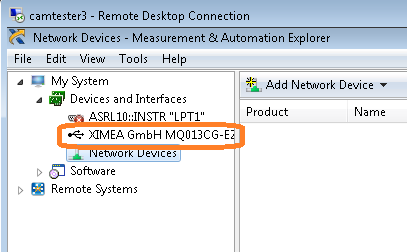
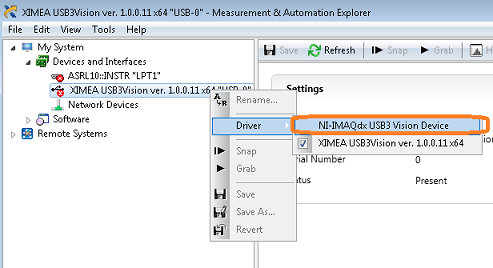
The following guide describes how to set up your USB3 Vision compatible XIMEA camera (xiQ, xiC) in NI Vision Acquisiton Software.
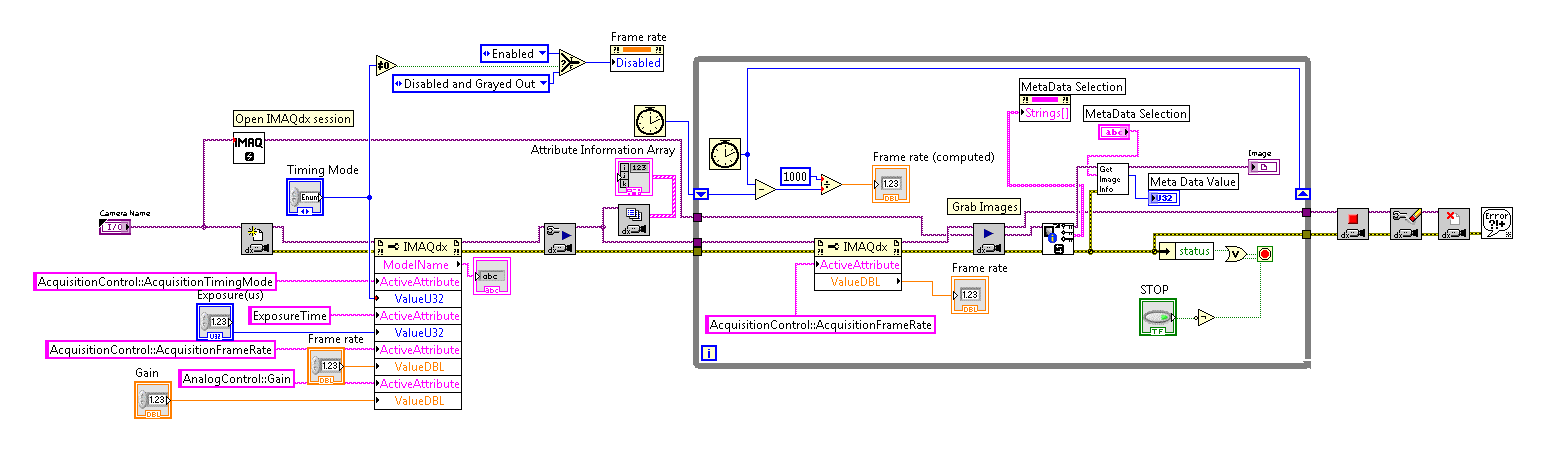
xiLib is a LabVIEW wrapper of the xiAPI.NET which supports all cameras supported by xiAPI.NET and it can fully handle all the functions provided by this .NET based interface.
NI Labview version 2015 or later (support for both 32bit ot 64bit).
For accessing VIs optimized for speed in the xiControl_IMAQ.llb folder, NI Vision Development Module 2015 or later need to be installed.
xilib can be installed by clicking the check-mark next to the NI Labview interface - xiLib entry in the Vision Libraries section during the installation of the Beta release of the API Software Package.
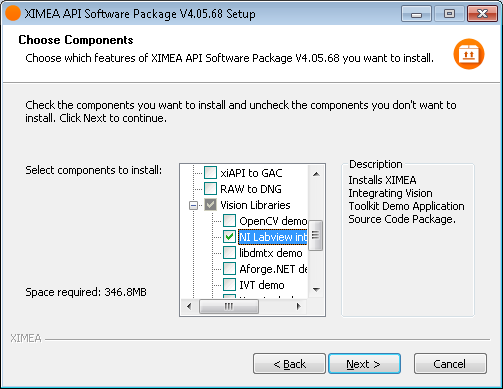
The manual to xiLib can be found in the c:\XIMEA\VisionLibraries\xiLib\Documents folder after the installation of the Software Package.